Close Menu
    What's Hot

    Is GTA+ Worth It in 2026? Full Breakdown

    July 14, 2026

    GTA 6 Jason: Everything We Know So Far

    July 10, 2026

    Best GTA 5 Mods & How To Install Them (2026)

    July 10, 2026
    Facebook X (Twitter) Instagram
    Game Devourer
    • News
    • Roblox
    • Minecraft
    • Fortnite
    • Grand Theft Auto
    • Marvel Rivals
    • Meccha Chameleon
    • Pokémon
    • Subnautica
    Game Devourer
    You are at:Home - Pokémon - Pokémon Champions: How To Get Free Gallade
    Pokémon

    Pokémon Champions: How To Get Free Gallade

    By Pranshu AryanMay 14, 20263 Mins Read
    Facebook Twitter Pinterest Reddit WhatsApp Copy Link
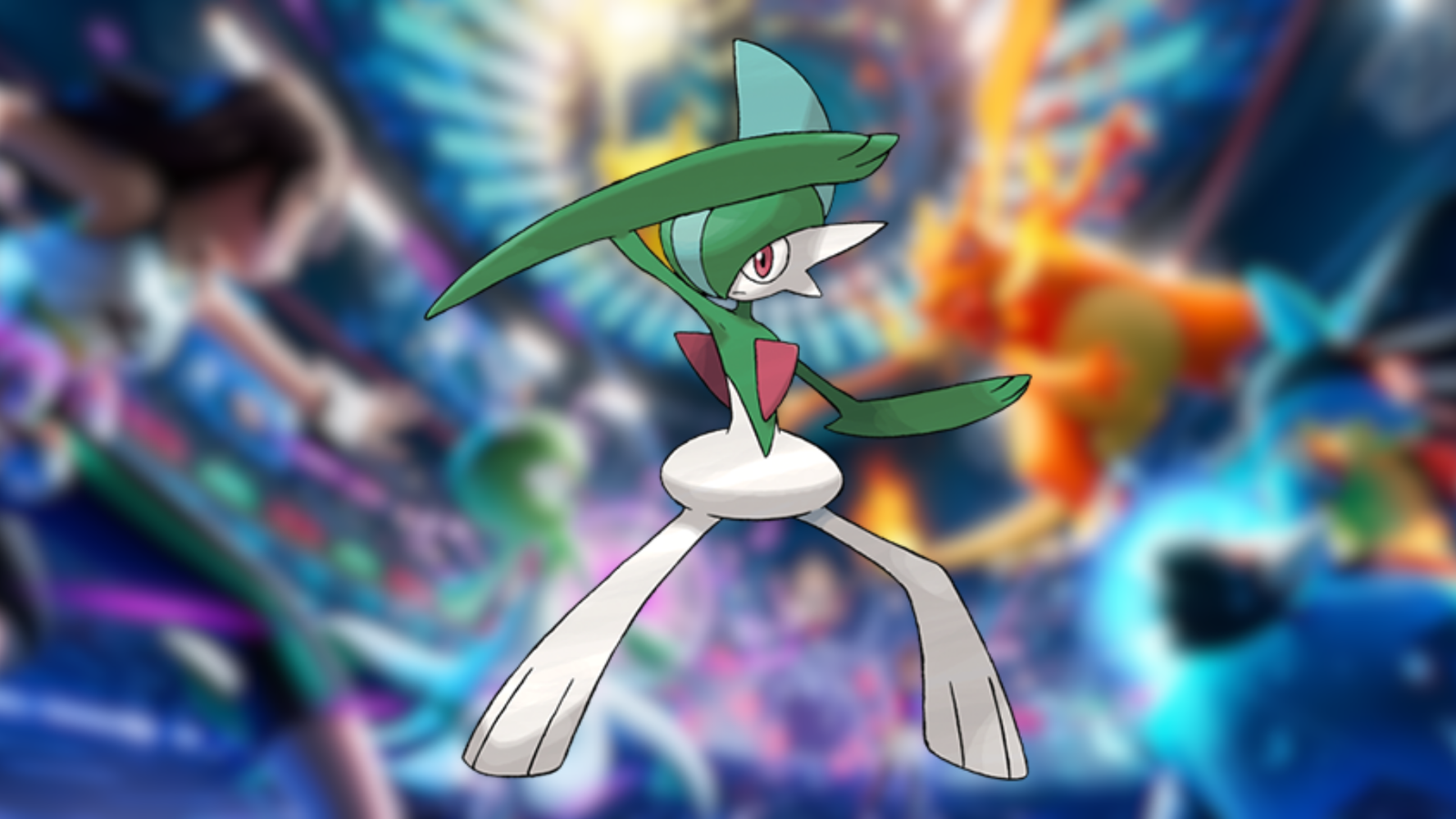
    Pokémon Champions Free Gallade
    Image via The Pokémon Company

    Summary

    • You can get a free Gallade in Pokémon Champions by participating in the May 2026 Monthly Challenge Series.
    • This is an Official Online Competition with many prizes on the line.
    • You do not have to win any matches to get this popular Pokémon.

    Pokémon Champions has announced the May 2026 Monthly Challenge Series, an online tournament that will allow players to claim a free Gallade for their account. This is the third official online competition for the free-to-play game.

    How To Get Free Gallade in Pokémon Champions

    Pokémon Champions May 2026 Monthly Challenge Series
    Image via The Pokémon Company

    You have to follow these steps to get the free Gallade in Pokémon Champions:

    • Register for the May 2026 Monthly Challenge Series.
    • Play three matches when the tournament starts (wins or losses do not matter).
    • Check your battle results in the Battle > Online Competition tab.
    • Claim the free Gallade from the in-game mailbox.
    • This will contain the free Gallade alongside the MCS 05/2026 Challenger title.

    The two above are just participation rewards, which will be available to you regardless of the results of your three battles.

    Read More: Pokémon Champions VGC Meta Mega Scovillain Team Guide (Wolfey)

    Pokémon Champions May 2026 Monthly Challenge Series Event Registration and Duration

    You can start registering for the competition from May 22, 2026, to June 1, 2026. However, the battling phase itself is quite a bit shorter. The battles will start from May 29, 2026 (2:00 UTC) and run until June 1, 2026 (1:59 UTC).

    This can be done by going to the Battle tab and continuing to the Online Competition section. Until June 1, you will be able to see this competition in that menu. Your Battle Team and player information will all be registered for the tournament.

    Note: You can register for the tournament even after the battling has started. However, you should ideally apply before the tournament, as it will let you edit the application if you want to.

    Read More: Pokémon Champions VGC Meta Mega Glimmora Team Guide

    Pokémon Champions May 2026 Monthly Challenge Series Placement Rewards

    The following rewards will depend on your rank by the end of the tournament:

    RankReward
    1st to 10thMCS 05/2026 Master
    11th to 100th placeMCS 05/2026 Veteran
    101st to 1,000thMCS 05/2026 Ace
    1,001st to 10,000thMCS 05/2026 Rising Star

    You must play at least three matches to be eligible for the above awards as well.

    Read More: Pokémon Champions Best Sandstorm Team Guide

    FAQs

    Can you withdraw or edit your application to the Pokémon Champions May 2026 Monthly Challenge Series?

    Yes, you can withdraw or change your application if you wish to. However, this can only be done before the tournament’s battling phase begins. If you register after May 29, when the battling has already started, the application cannot be withdrawn or edited.

    What is the format for the May 2026 Monthly Challenge Series?

    This tournament will be a series of 3v3 Singles battles. This is quite different from the usual doubles format.

    Pranshu Aryan
    • X (Twitter)
    • LinkedIn

    Pranshu Aryan is a dedicated content writer with over a year of experience under his belt in the gaming journalism industry. He started his gaming journey with games like Minecraft and some of the older LEGO titles. However, he now prefers to play singleplayer, story-driven games with a focus on RPG-mechanics. Currently some of his favorite games include The Witcher 3, Cyberpunk 2077, Kingdom Come Deliverance, among others. When he is not writing, Pranshu prefers to spend his time reading books, swimming, or catching up on his backlog of games.

    Related Posts

    Pokémon Champions: How To Get Free Charizard and Garchomp

    By Pranshu AryanMay 24, 2026

    Pokémon Champions Ranked Battle Guide: Best Teams To Get To Master Ball in Season M-2

    By Pranshu AryanMay 21, 2026

    Pokémon Champions VGC Meta Mega Scovillain Team Guide (Wolfey)

    By Pranshu AryanMay 13, 2026

    Pokémon Champions: Mega Chesnaught Competitive VGC Moveset Build Guide

    By Pranshu AryanMay 11, 2026
    Add A Comment

    Comments are closed.

    Don't Miss

    Is GTA+ Worth It in 2026? Full Breakdown

    By Sagnik AdhikaryJuly 14, 2026

    A complete breakdown of GTA+ in 2026 — monthly benefits, Vinewood Club access, Games Library titles, honest pros and cons, and a direct answer on whether the subscription is worth it before you redeem your GTA 6 pre-order bonus.

    GTA 6 Jason: Everything We Know So Far

    July 10, 2026

    Best GTA 5 Mods & How To Install Them (2026)

    July 10, 2026

    Marvel Rivals Season 9: All Buffs and Nerfs Explained

    July 9, 2026
    Our Picks

    Is GTA+ Worth It in 2026? Full Breakdown

    By Sagnik AdhikaryJuly 14, 2026

    GTA 6 Jason: Everything We Know So Far

    By Sagnik AdhikaryJuly 10, 2026

    Best GTA 5 Mods & How To Install Them (2026)

    By Sagnik AdhikaryJuly 10, 2026

    Marvel Rivals Season 9: All Buffs and Nerfs Explained

    By Sagnik AdhikaryJuly 9, 2026
    • Home
    • Privacy Policy
    • Our Authors
    • Terms and Conditions
    • Editorial Guidelines
    • Cookie Policy
    • Contact Us
    • About Us
    © 2026 GameDevourer

    Type above and press Enter to search. Press Esc to cancel.