
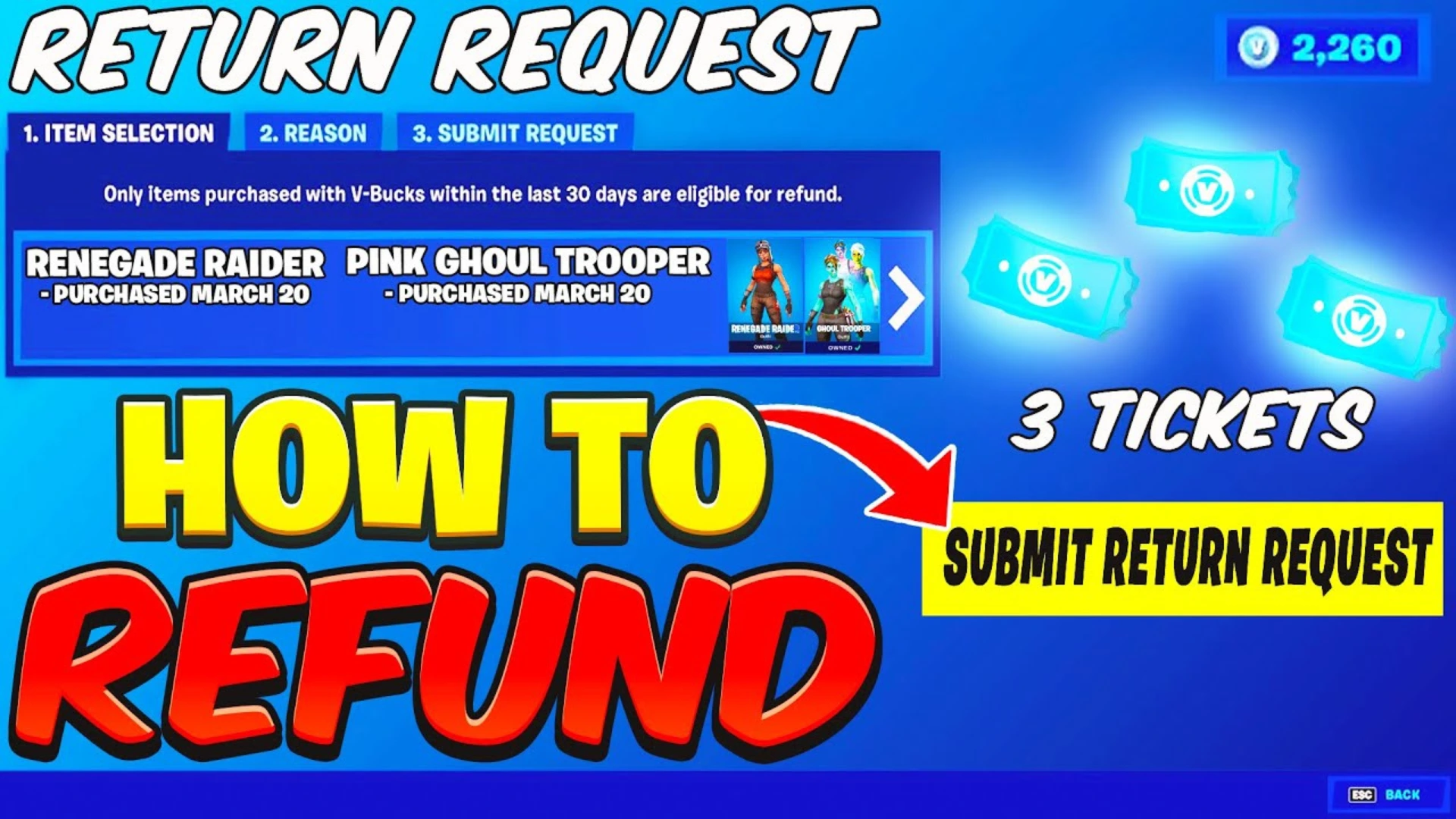
Accidental purchases happen more often than you realize in Fortnite. Maybe you clicked too fast in the Item Shop, bought the wrong bundle, or changed your mind after seeing the cosmetic in your Locker. Thankfully, Fortnite has a refund system that lets you get your V-Bucks back for eligible purchases.
That said, Epic does not refund everything. Fortnite gives players two self-service options: Cancel Purchase and Return Tickets. Both are useful, but they come with strict rules, time limits, and item restrictions.
In this guide, I’ll explain how to refund items in Fortnite, how Return Tickets work, what you can and cannot refund, and what to do if the refund option is not showing.
What is the Fortnite Refund System?
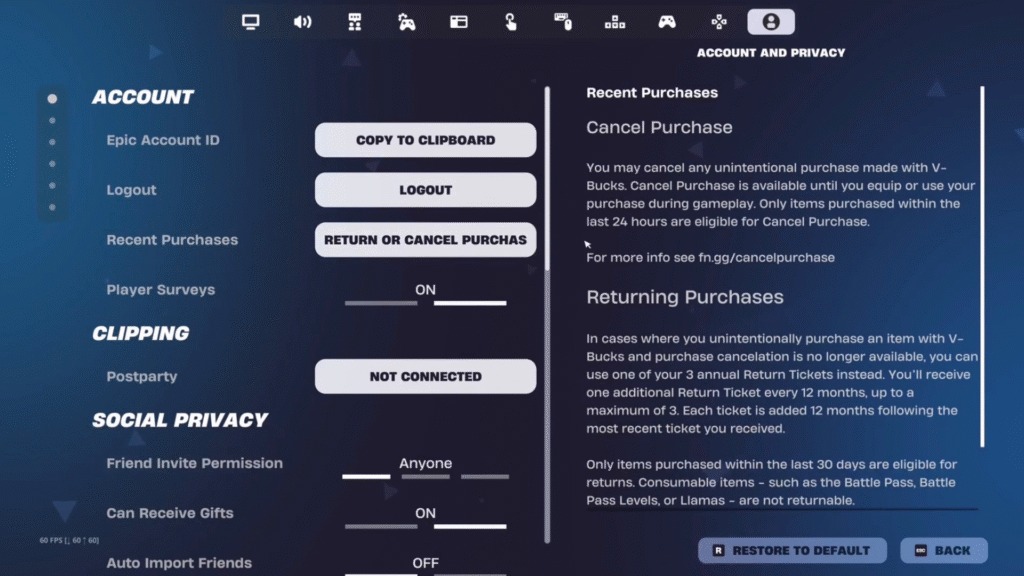
Fortnite’s refund system lets you return eligible Item Shop purchases and get your V-Bucks back. This usually applies to cosmetics purchased with V-Bucks, such as outfits, back blings, pickaxes, gliders, wraps, emotes, and Jam Tracks.
Fortnite’s refund system lets you return eligible Item Shop purchases and get your V-Bucks back. This usually applies to cosmetics purchased with V-Bucks, such as outfits, back blings, pickaxes, gliders, wraps, emotes, and Jam Tracks.
There are two main refund options in Fortnite:
- Cancel Purchase
- Return Tickets
Cancel Purchase is best when you bought something by mistake and noticed it quickly. Return Tickets are used when the Cancel Purchase window has passed or when the item has already been equipped or used.
However, not every Fortnite purchase is refundable.
What Items Cannot Be Refunded in Fortnite?
Not every purchase can be refunded through Cancel Purchase or Return Tickets. These items are generally not refundable:
- Battle Pass
- Festival Pass
- OG Pass
- LEGO Pass
- Pass Levels
- Premium Reward Track
- Gifted purchases
- Level Up Quest Packs
- Real-money offers in the Item Shop
- Fortnite Crew
- V-Bucks purchased with real money
- Save the World Loot Llamas
- Save the World event or weekly items
- Purchases made in developer-made islands
So, while Fortnite’s refund system is helpful, it mainly applies to eligible V-Bucks cosmetic purchases from the Item Shop.
What Are Return Tickets in Fortnite?
Return Tickets, also called Refund Tickets, allow you to return eligible Fortnite purchases made within the last 30 days. Every Fortnite account starts with 3 Return Tickets. When you use one, the eligible item is removed from your Locker, and the V-Bucks you spent are returned to your account.
Here’s how Return Tickets work:
- You start with 3 Return Tickets.
- You can use them on eligible purchases made within the last 30 days.
- You get 1 new Return Ticket every 365 days.
- You can only hold up to 3 Return Tickets at once.
- If you already have 3 tickets, you will not receive another one.
- Epic Games Support cannot give you extra Return Tickets.
Since refunds and purchases are linked to your Epic account, it is smart to secure your Epic account with 2FA before making payment-related changes.
Cancel Purchase vs Return Tickets: What’s the Difference?
| Refund Method | Time Limit | Uses Ticket? | Best For |
|---|---|---|---|
| Cancel Purchase | Within 24 hours | No | Mistaken purchases you have not used or equipped |
| Return Ticket | Within 30 days | Yes | Eligible items after 24 hours or after use |
The biggest difference is that Cancel Purchase does not use a Return Ticket, but it only works for a short time and only if you have not used or equipped the item in any game mode.
Return Tickets give you a longer window, but they are limited, so use them carefully.
Fortnite Refund System: Rules & Limitations
Before refunding anything, keep these rules in mind.
Cancel Purchase Works Only for 24 Hours
You can use Cancel Purchase within 24 hours of buying an eligible item. However, the item must not be equipped or used in any game mode.
If you equip or use the item, Cancel Purchase may no longer be available.
Return Tickets Work Within 30 Days
If the 24-hour Cancel Purchase window has passed, you may still be able to refund the item with a Return Ticket. However, the item must have been purchased within the last 30 days.
Once the 30-day window expires, the item cannot be refunded through Return Tickets.
Each Item Can Be Cancelled Only Once
If you cancel a purchase and later buy the same item again, Fortnite may remind you that you already cancelled that item before. Be careful before buying it again.
Bundles Must Be Returned Together
If you purchased a bundle, you must refund the full bundle. You cannot return only one cosmetic from the bundle.
Support Cannot Add Extra Tickets
If you used all your Return Tickets, you must wait for the next ticket refresh. Epic Games Support cannot manually add extra Return Tickets to your account.
Refunding an item and cancelling a subscription are not the same thing. If your issue is with the monthly Crew subscription, you need to cancel Fortnite Crew separately.
How to Refund Items in Fortnite
You can refund eligible Fortnite purchases directly from the game settings.
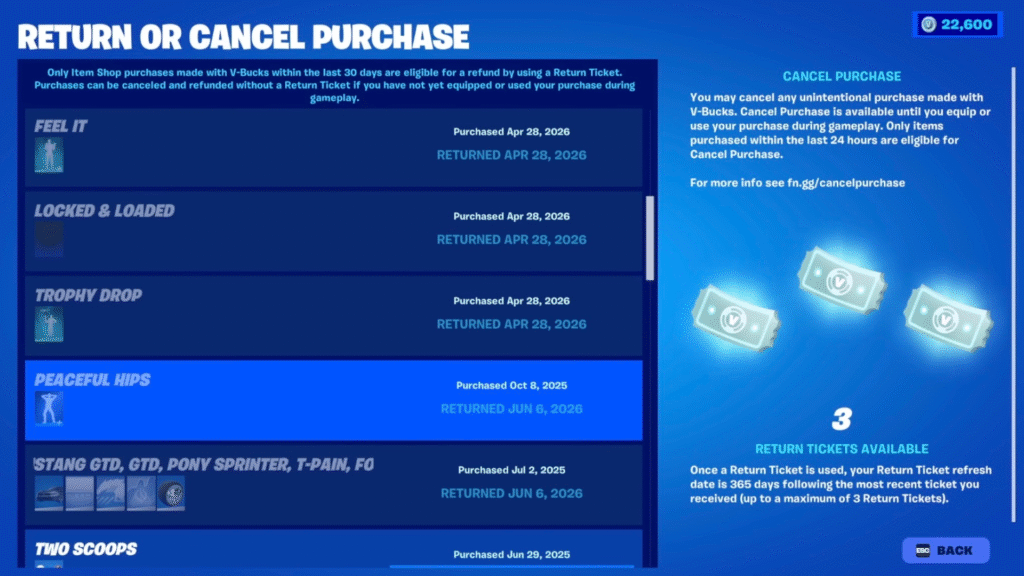
1. Refund via Game Settings
- Launch Fortnite.
- Select your Player Icon in the top-right corner.
- Go to Settings.
- Open the Account and Privacy tab.
- Select Return or Cancel Purchase.
- Choose the item you want to return or cancel.
- Review the refund details carefully.
- Confirm your choice.
- Your V-Bucks should appear back in your account.
Once the refund is complete, the item will be removed from your Locker.
2. Refund via Fortnite Web Item Shop
- Sign in to your account at the Fortnite Web Item Shop.
- Click the Player Icon in the top right.
- Select Return and Cancel Purchases.
- Select Show Purchases.
- Choose the item you want to return.
- Confirm your choice.
- The refund amount will appear in your Fortnite account.
How to Check Remaining Refund Tickets
You can check your remaining Return Tickets from the same refund section.
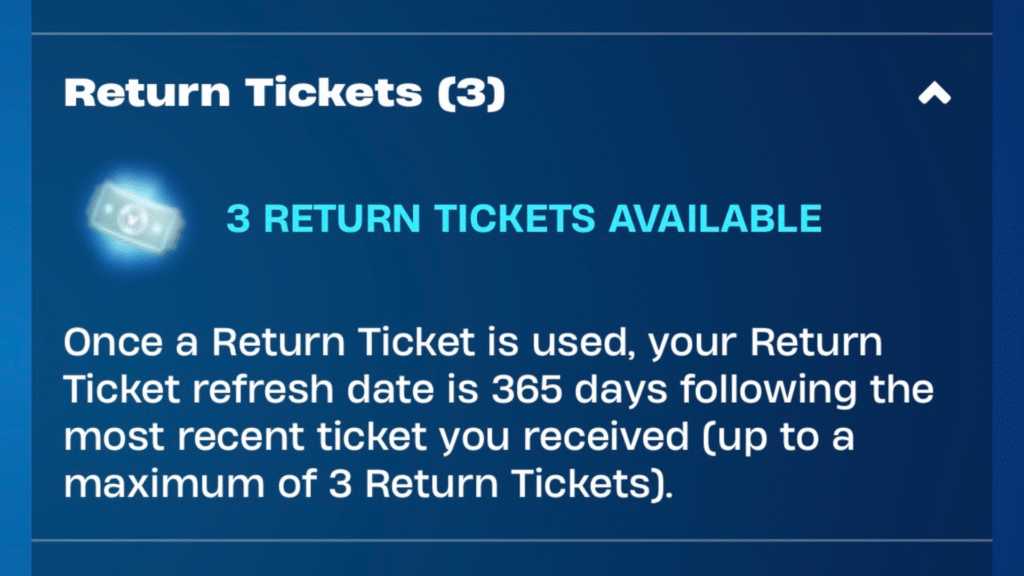
Here’s how to check in-game:
- Open Fortnite.
- Select your Player Icon.
- Go to Settings.
- Open Account and Privacy.
- Select Return or Cancel Purchase.
- Check your available Return Tickets.
You can also check them through the Fortnite Web Item Shop by opening the Return and Cancel Purchases page.
If you have not used any tickets, you should see 3 available Return Tickets. If you used one recently, your next refresh date will be based on 365 days after the most recent ticket you received.
Refund Not Working? Try These Fixes
If Fortnite is not letting you refund an item, one of these reasons is probably the cause.
- The Item Is Not Eligible: Some Fortnite purchases cannot be refunded. Battle Passes, Fortnite Crew, gifted purchases, V-Bucks, Level Up Quest Packs, real-money bundles, and developer-made island purchases are not eligible for normal Return Tickets or Cancel Purchase.
- The 24-Hour Cancel Window Expired: Cancel Purchase only works within 24 hours of buying the item. If more than 24 hours have passed, you will need to use a Return Ticket if the item is eligible.
- You Used or Equipped the Item: If you equipped or used the item in-game, Cancel Purchase may not be available. In that case, you may need to use a Return Ticket.
- The 30-Day Return Ticket Window Expired: Return Tickets only work on eligible items bought within the last 30 days. If the purchase is older than 30 days, it cannot be refunded with a ticket.
- You Have No Return Tickets Left: If you already used all 3 Return Tickets, you must wait for a new ticket. You receive 1 new ticket every 365 days, as long as you have fewer than 3.
- It Was Bought With Real Money: Real-money purchases are different from V-Bucks cosmetic refunds. If you bought content with real money through PlayStation, Xbox, Nintendo, Apple, or another platform, you may need to check that platform’s refund policy.
What Happens After a Refund?
Once the refund is complete, the eligible item is removed from your Fortnite Locker, and your V-Bucks are returned to your account.
If you refund a bundle, the full bundle is removed. If you cancel a single cosmetic, only that cosmetic is removed.
The refunded V-Bucks should appear in your account quickly. Make sure you are refunding the correct item because once you confirm the refund, the action cannot usually be undone.
Tips Before Refunding Fortnite Items
Before using a Return Ticket, keep these tips in mind:
- Use Cancel Purchase first if it is available.
- Save Return Tickets for expensive cosmetics or bundles.
- Don’t waste tickets on small purchases unless you really need the V-Bucks back.
- Check whether the item is part of a bundle before refunding.
- Preview cosmetics carefully before buying.
- Avoid rushing through Item Shop purchases.
- Remember that you only get 1 new ticket every 365 days.
Return Tickets are limited, so use them wisely.
Want more cosmetics without wasting V-Bucks? There are still a few legit ways to get free skins in Fortnite through official methods.
How many Refund Tickets do you get in Fortnite?
Every Fortnite account starts with 3 Return Tickets. You can hold a maximum of 3 tickets at one time.
Can you refund V-Bucks in Fortnite?
You cannot refund V-Bucks through Fortnite’s Return Ticket system. If you bought V-Bucks with real money, refund options depend on Epic or the platform where you made the purchase.
How long do you have to refund an item in Fortnite?
You can use Cancel Purchase within 24 hours if the item has not been equipped or used. You can use a Return Ticket on eligible purchases within 30 days.
Can I get more Refund Tickets?
Yes, you get 1 new Return Ticket every 365 days, but only if you have fewer than 3 tickets. You cannot hold more than 3 Return Tickets at once.
Can Epic Games Support give me more Return Tickets?
No, Epic Games Support cannot grant additional Return Tickets.
Can I refund gifted items in Fortnite?
No, gifted purchases cannot be refunded with Cancel Purchase or Return Tickets.
Can I refund the Battle Pass in Fortnite?
No, the Battle Pass and other passes are not refundable through Fortnite’s Return Ticket system.
Can I refund a Fortnite bundle?
Yes, eligible bundles can be refunded, but the entire bundle must be returned together. You cannot refund only one item from a bundle.
