
If this is your first time entering the blocky world of Roblox, think of it less as a single game and more as a huge collection of experiences made by creators and developers around the world. And when I say “huge collection,” I mean millions of experiences, ranging from obstacle courses and tycoon games to simulators, roleplay worlds, tower defense games, and much more.
Getting started with Roblox is easy because it works on PC, Mac, mobile devices, PlayStation, and Xbox. You can use the same Roblox account across supported devices and continue playing with your avatar, friends list, and account progress.
Most Roblox experiences are also beginner-friendly. You can jump into a game, learn the basic controls within minutes, and start exploring without spending hours figuring out complicated mechanics.
In this guide, I’ll explain how to play Roblox on PC, mobile, and console, how to find games, which beginner-friendly experiences to try first, and what safety tips new players should keep in mind.
How to Play Roblox
To play Roblox, create a free Roblox account, install the Roblox app or launcher on your device, choose an experience, and press the Play button to start.
Here are the basic steps:
- Create a free Roblox account or log in to your existing account.
- Install Roblox on your device.
- Open Roblox and browse available experiences.
- Select a game you want to play.
- Click or tap Play.
- Learn the basic controls and start exploring.
Roblox is free to download and play. However, some experiences include optional purchases using Robux, Roblox’s virtual currency.
What is Roblox and How Does It Work?
Roblox is not just one game. It is a platform where players can explore experiences created by developers and community creators.
You can play many different types of experiences on Roblox, including:
- Obby games
- Tycoon games
- Simulator games
- Roleplay experiences
- Tower defense games
- Fighting games
- Survival games
- Racing games
- Social hangout experiences
Roblox is powered by user-generated content. That means many of the games you see on the platform are built by creators using Roblox Studio, Roblox’s free development tool for PC and Mac.
This is why Roblox feels different from traditional multiplayer games. One moment you might be raising pets in Adopt Me!, and the next you could be managing a farm in Grow a Garden, escaping an obby, or building your own world.
How to Play Roblox on PC
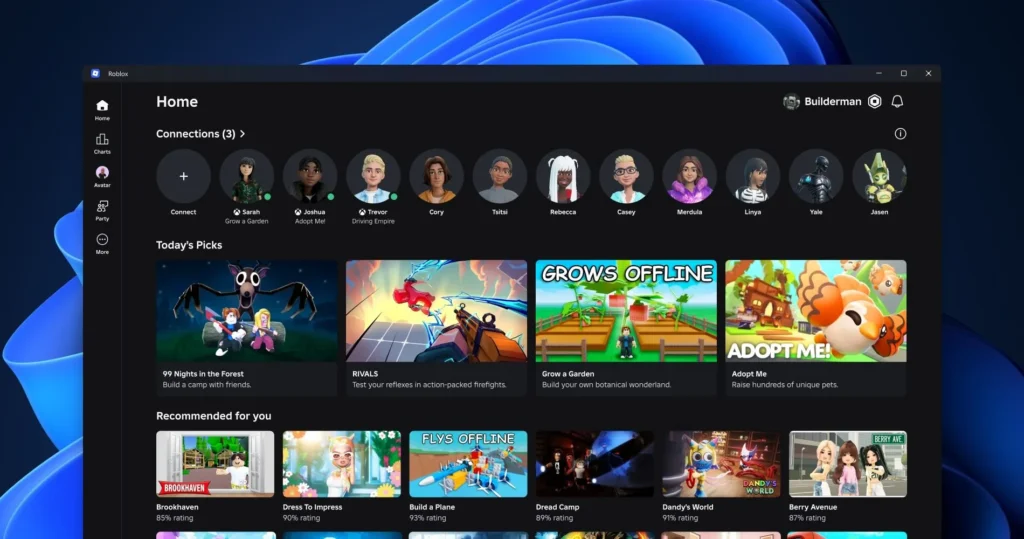
PC is one of the easiest ways to play Roblox because you can access the website, install the launcher, use keyboard and mouse controls, and play a wide range of experiences.
Follow these steps to play Roblox on PC:
- Open your browser and go to the official Roblox website.
- Create a free Roblox account if you are new.
- Log in to your existing account if you already have one.
- Browse the homepage or use the search bar to find an experience.
- Open the experience page.
- Click the Play button.
- If prompted, download and install the Roblox launcher.
- After installation, the selected experience should launch automatically.
The Roblox launcher is usually a one-time installation. After that, clicking Play on an experience will open Roblox directly.
Basic PC Controls
Most Roblox experiences use simple PC controls:
- W, A, S, D – Move
- Spacebar – Jump
- Mouse – Move camera
- Right-click and drag – Adjust camera
- E – Interact in many games
- Esc – Open menu
Controls can change depending on the experience, so always check the game’s instructions if something feels different.
How to Play Roblox on Mobile (Android & iOS)
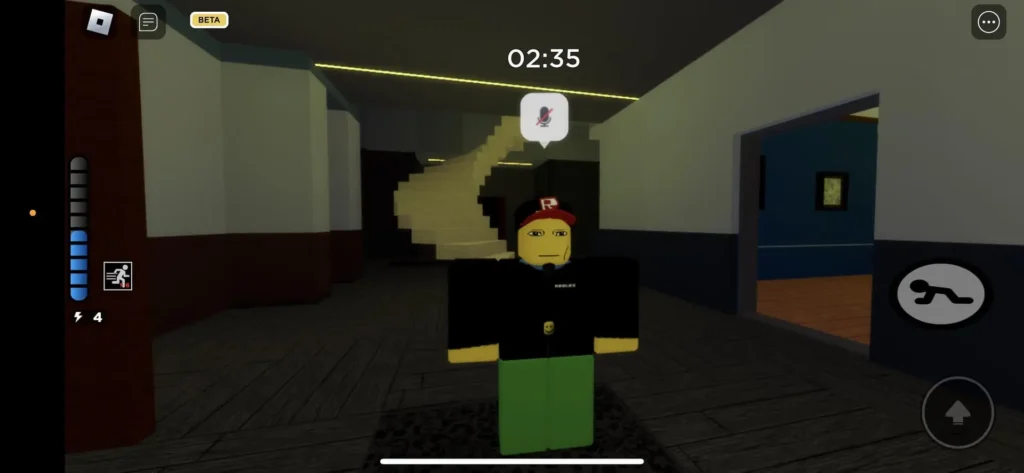
Roblox is available on Android, iPhone, and iPad. The mobile version is convenient because you can play anywhere, but performance depends on your device and internet connection.
Roblox Support lists the current mobile requirements as:
- iOS 14 or iPadOS 14 and higher
- Android 8.0 and higher
- Android devices must support OpenGL ES 3.0 or higher
Follow these steps to play Roblox on mobile:
- Open the App Store on iPhone or iPad, or Google Play Store on Android.
- Search for Roblox.
- Install the app published by Roblox Corporation.
- Open the Roblox app.
- Create a new account or log in to your existing account.
- Browse the home screen or search for a specific experience.
- Tap the experience you want to play.
- Tap the Play button.
Roblox mobile uses touch controls by default. Most games show on-screen buttons for movement, jumping, camera control, and interaction.
Basic Mobile Controls
Most Roblox mobile experiences use these controls:
- Virtual joystick – Move
- Swipe screen – Move camera
- Jump button – Jump
- Tap objects – Interact
- On-screen buttons – Use abilities or actions
Some experiences are easier on mobile than others. Simple obbies, simulators, tycoons, and roleplay games usually work well, while fast combat games may feel better with a controller or keyboard and mouse.
How to Play Roblox on Consoles (PS/Xbox)
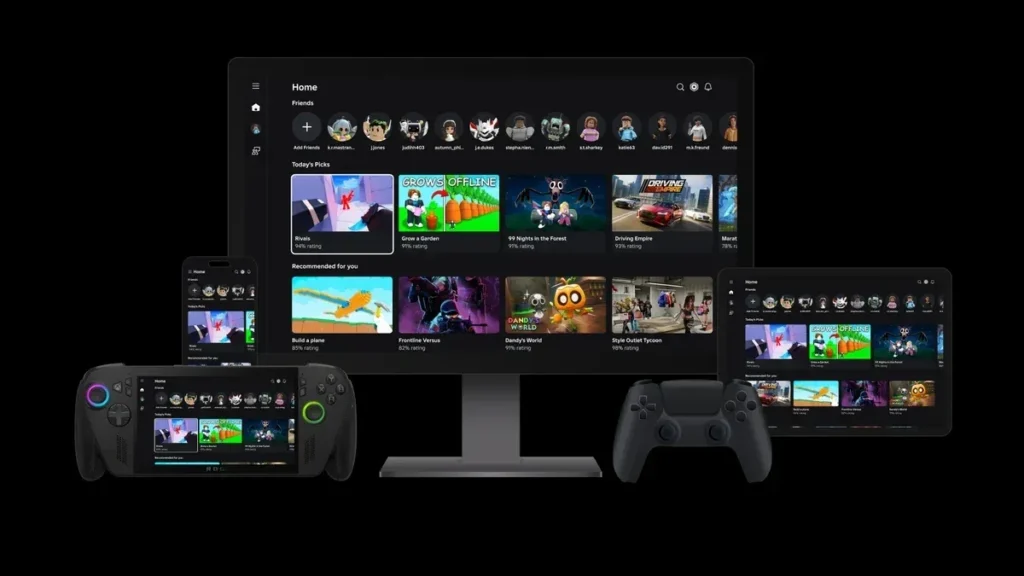
Roblox is available on PlayStation and Xbox consoles. Playing on console is a good option if you prefer a bigger screen and controller-based gameplay.
Roblox is available on: PlayStation 4, PlayStation 5, Xbox One, Xbox Series X/S
Follow these steps to play Roblox on console:
- Open the PlayStation Store or Microsoft Store.
- Search for Roblox.
- Download and install Roblox.
- Launch the app.
- Sign in to your Roblox account or link your console account.
- Browse available experiences.
- Select an experience and press Play.
Roblox is free to play on console. You do not need PlayStation Plus or Xbox Game Pass just to play Roblox online, but platform rules and account settings may still affect some features.
Roblox also supports cross-play, so console players can play with friends on PC, mobile, and other supported platforms in many experiences.
Basic Console Controls
Console controls can vary by experience, but most Roblox games use standard controller inputs:
- Left stick – Move
- Right stick – Move camera
- A / X – Jump
- X / Square – Interact in some games
- Menu button – Open menu
- Triggers / bumpers – Use abilities in some games
Some Roblox experiences may not support every console feature, so check the experience page if something does not work as expected.
How to Find and Join Games in Roblox
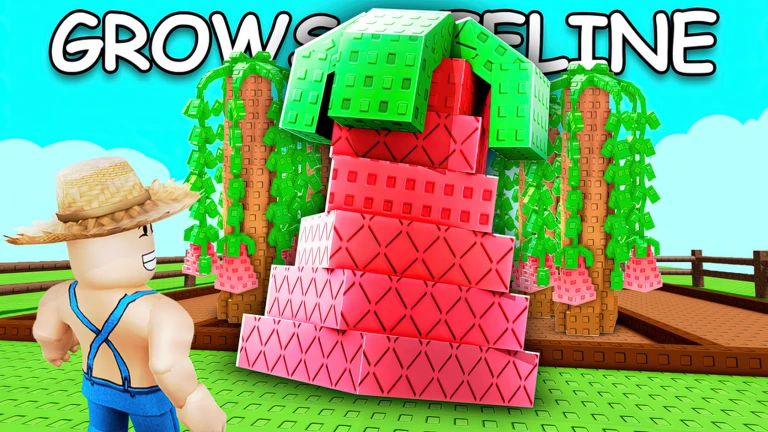
There are millions of experiences on Roblox, so the platform can feel overwhelming when you are new. The easiest way to start is by using search, categories, and popular lists.
Use the Search Bar
If you already know the name of a game, type it into the search bar. For example, you can search for games like Grow a Garden, Adopt Me!, Pet Simulator, or any experience your friends recommend.
Always open the correct experience page before pressing Play, because some games may have similar names.
Explore Categories
Roblox also shows categories and recommendation sections. These can help you discover experiences based on what other players are enjoying.
You may see categories like:
- Popular
- Top Rated
- Roleplay
- Adventure
- Simulator
- Obby
- Tycoon
- Fighting
- Survival
If you are new, start with simple categories like Obby, Tycoon, or Simulator. These are usually easier to understand.
Check Trending Experiences
Trending and popular experiences can show you what players are currently enjoying. This is a good way to discover new games, but not every trending game will match your taste.
Try a few different experiences and leave the ones you do not enjoy.
Join Friends
If your friends already play Roblox, you can add them to your friends list and join supported experiences together.
This is often the easiest way to discover good games because friends can guide you through the basics.
Best Roblox Games for Beginners

Most Roblox games are beginner-friendly, but some are easier to start with than others. If you are new to the platform, try these types of games first.
Obby Games
Obby games, or obstacle course games, are great for learning Roblox movement controls. These games usually focus on jumping, climbing, dodging obstacles, and reaching the finish line.
Good beginner-friendly options include:
- Easy Obby-style games
- Neon Obby-style games
- Simple parkour experiences
If you want a harder challenge later, you can try more difficult obstacle courses like Tower of Hell.
Tycoon Games
Tycoon games are about building, upgrading, and managing something over time. They are usually simple to understand and let you progress at your own pace.
Beginner-friendly examples include:
- Theme Park Tycoon 2
- Restaurant Tycoon 2
- Retail or factory-style tycoon games
These are good for players who enjoy gradual progression and building systems.
Simulator Games
Simulator games are popular because they usually have simple loops: collect items, earn currency, upgrade your character, unlock new areas, and repeat.
Beginner-friendly examples include:
- Pet Simulator 99
- Bee Swarm Simulator
- Mining or collecting simulators
These games are easy to start, but some can become grind-heavy later.
Roleplay Games
Roleplay games are good if you want a relaxed experience. You can explore towns, build stories, interact with friends, and customize your avatar.
Popular roleplay-style experiences can be fun for new players because they do not always require fast reflexes.
Basic Controls and Gameplay Tips
Roblox is easy to start, but these tips can make your first few hours smoother.
- Start With Simple Games: Begin with obbies, tycoons, simulators, or roleplay experiences. Once you understand the controls and menus, move on to harder games like fighting, survival, or competitive experiences.
- Customize Your Avatar: Roblox lets you customize your avatar with free and paid items. You do not need Robux to make your avatar look different, because there are free clothing and accessory options available.
- Add Friends Carefully: Roblox is more fun with friends, but be careful when adding strangers. Only add people you know or trust, and avoid sharing personal information.
- Don’t Spend Robux Too Early: Robux is optional. You can enjoy thousands of Roblox experiences without spending money. As a beginner, play free experiences first and understand what you actually enjoy before buying items, passes, or cosmetics.
- Check Game Instructions: Each Roblox experience can have different controls, rules, currencies, and objectives. Read the tutorial, description, or in-game prompts before assuming every game works the same way.
- Use Parental Controls for Younger Players: If Roblox is being used by a child, parents should review privacy settings, spending limits, chat settings, content maturity options, and account restrictions.
Roblox has safety tools, but supervision is still important for younger players.
Roblox Safety Tips for Beginners
Roblox is a social platform, so safety matters, especially for younger players.
Keep these tips in mind:
- Do not share your password.
- Do not share personal information.
- Avoid suspicious links.
- Do not trust free Robux generators.
- Use official Roblox pages only.
- Report rude or unsafe behavior.
- Block players who make you uncomfortable.
- Ask a parent or guardian before spending money.
Roblox chat and communication features can depend on age, account settings, parental controls, region, and eligibility. If chat is not available on your account, check your privacy and safety settings.
Do You Need Robux to Play Roblox?
No, you do not need Robux to play Roblox. The platform is free to download and many experiences are free to play.
Robux is mainly used for optional purchases, such as:
- Avatar items
- Game passes
- Developer products
- Private Server access
- Premium items in some experiences
You can enjoy Roblox without spending money, especially as a beginner. If you decide to buy Robux later, only purchase it through official Roblox stores or approved platform stores.
Can You Create Your Own Roblox Game?
Yes, you can create your own Roblox experience using Roblox Studio.
Roblox Studio is free and available for PC and Mac. It lets creators build games, design worlds, add scripts, test experiences, and publish them on Roblox.
If you are new, start with simple templates and tutorials before trying to build a complex game. Creating a good Roblox experience takes time, but Roblox Studio is one of the best ways to learn game creation basics.
Is Roblox free to play?
Yes, Roblox is free to download and play. However, some experiences include optional purchases using Robux.
Can I play Roblox with my friends?
Yes, you can add friends, join supported experiences together, and communicate through Roblox features if your account settings allow it.
Do I need Robux to enjoy Roblox?
No, you do not need Robux to enjoy Roblox. Many experiences are completely free to play.
Can I create my own game in Roblox?
Yes, you can create your own Roblox experience using Roblox Studio, which is free for PC and Mac.
Is Roblox available on mobile devices?
Yes, Roblox is available on iPhone, iPad, Android phones, and Android tablets, as long as your device meets the minimum requirements.
Is Roblox available on PlayStation and Xbox?
Yes, Roblox is available on PlayStation 4, PlayStation 5, Xbox One, and Xbox Series X/S.
Does Roblox support cross-play?
Yes, many Roblox experiences support cross-play across PC, mobile, PlayStation, Xbox, and other supported platforms.
Is Roblox safe for kids?
Roblox includes safety features, parental controls, content filters, reporting tools, and chat restrictions. However, parental supervision is still recommended for younger players.
Can I play Roblox without installing anything?
On most devices, you need to install the Roblox app or launcher before playing experiences. On PC, the website helps you launch games after installing the Roblox player.
What are the best Roblox games for beginners?
Good beginner choices include obby games, tycoon games, simulator games, and roleplay experiences because they are usually easier to understand and play.
