

Meccha Chameleon is all the colorful rage right now in the video game community, and for good reason. Even being limited to one platform, the game is breaking records on Steam, selling over 7 million copies in under 2 weeks and then some. Now, I’m a PlayStation diehard, so this game not being available on my favorite platform was a bummer to me.
However, the system requirements are truly a sight to behold, as you can run it on even a potato PC. So, this was great news for me, as my laptop can run this colorful gem of a game flawlessly.
I think most players have modern PCs right now, thanks to the slew of heavy-hitting titles that have been released recently, but even if you don’t, it’s good enough to run Meccha Chameleon without any issues. Personally, I like playing as the Hider, and even with all the coloring and painting requirements, the game runs smoothly. So, here’s what your PC needs to run Meccha Chameleon on Steam.
Meccha Chameleon: System Requirements Explained
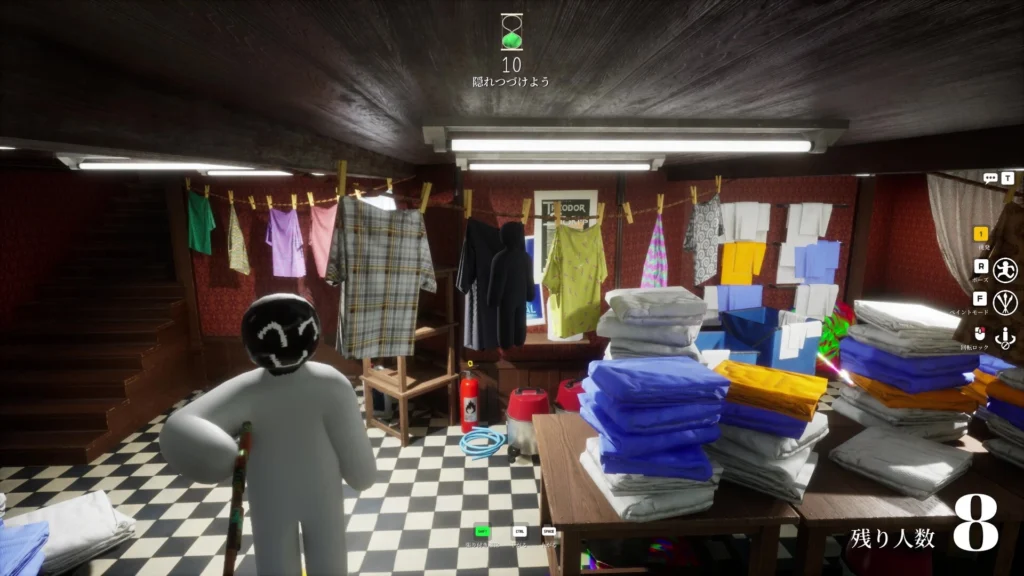
To run Meccha Chameleon on PC, you need Windows 10 64-bit, an Intel Core i5 processor, and a DirectX 11 or 12 compatible graphics card. Meccha Chameleon’s official Steam page has some missing details, such as storage space, but it’s informative enough to know that you don’t need much to run it.
- OS: Windows 10 64-bit.
- PROCESSOR: Intel Core i5
- GRAPHICS: DirectX 11 or 12 compatible graphics card
While the storage space isn’t mentioned, the actual size of the game is 2.1 GB, which is pretty negligible and similar to other indie multiplayer experiences like REPO (1 GB) and Lethal Company (4 GB). If your graphics card supports DirectX 11 or 12, then you’re all set to play Meccha Chameleon with your friends, or solo, granted it’s a ton more fun if you do it with the former.
Speaking of playing Meccha Chameleon with your friends, beginners might be confused about how to do it, so let me help you out.
How to Play Meccha Chameleon With Friends?
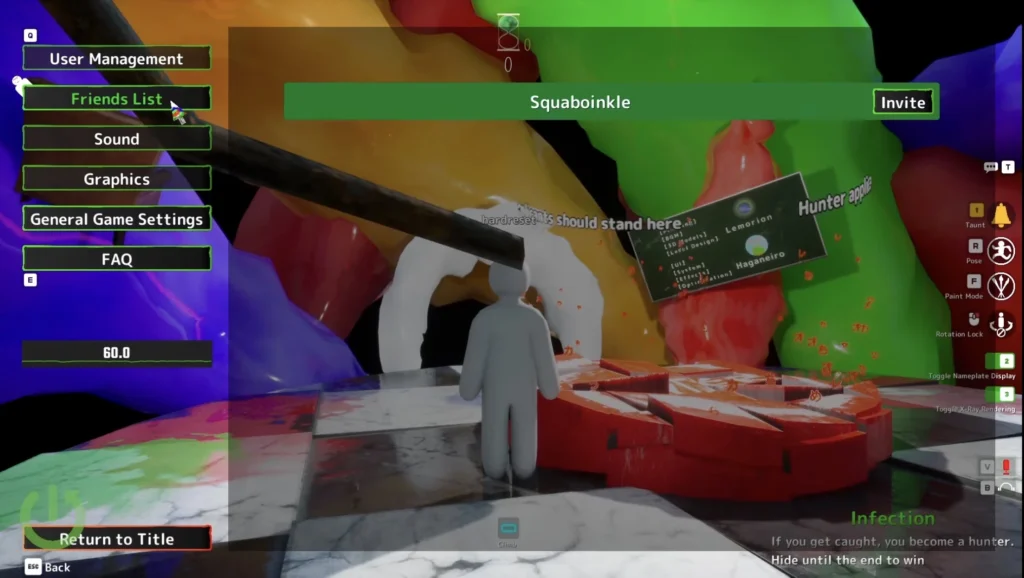
Meccha Chameleon is fun, original and insanely affordable, which makes this the perfect multiplayer obsession between friends right now. The game is also incredibly well-optimized, so you don’t need an absolute unit of a PC to run it. With that said, here are the steps to play the game with your friends on Steam:
- Launch Meccha Chameleon on Steam.
- Click on Create a Server.
- Choose a Server Name.
- If you want to create a Private Server, pick a password.
- Lastly, ask your friends to search for the Server using the name and the password.
Alternatively, you can click on the Find Server button and then select Find Private Server if your friend is hosting one. You need to enter your name, the Server Name, and the password to access it. If it’s Public Servers you’re looking for, then simply click on Find Public Server from the main menu.
Lastly, you can also invite your friends in-game. When you’re inside a Private Server, open the menu and click on the Friends List. This will display a list of your friends on Steam who have Meccha Chameleon in their library.
Finally, you can click on Invite to add them to the game. Now, you can join Meccha Chameleon and torment your friends either as the Hider or the Seeker.
What is Meccha Chameleon?
Meccha Chameleon is a multiplayer hide-and-seek game where Hiders paint their bodies to blend into the environment while Seekers try to find them before the time runs out.
What are the system requirements for Meccha Chameleon?
The game has the following system requirements to run smoothly on Steam:
OS: Windows 10 64-bit, PROCESSOR: Intel Core i5, GRAPHICS: DirectX 11 or 12, compatible graphics card, STORAGE: 2.1 GB available space
How do I invite friends to Meccha Chameleon?
You can either invite friends in-game or create a Private Server to play with your friends. Share the Server Name and the password with your friends to give them access to your Private Server.
Do Hiders turn into props like Prop Hunt?
No, Hiders remain with their white player model and manually paint and position themselves on the game’s maps.
Should I choose a hiding spot before painting?
Yes, you should absolutely choose your hiding spot first, then start painting on-site for a more accurate disguise.
What should Seekers look for first in Meccha Chameleon?
Seekers should focus on suspicious shapes and outlines rather than relying solely on color differences to weed out the Hiders.
Can Seekers move around during the preparation phase?
No, only Hiders can use the preparation phase to paint and hide before Seekers are released to search.
How many players can play together in Meccha Chameleon?
The game’s standard online lobbies support between 2 and 10 players.
Can you play Meccha Chameleon with random players?
Yes, the game includes public lobbies in addition to private matches with friends.
Is Meccha Chameleon available on Epic Games?
No, Meccha Chameleon is available to purchase and play exclusively on Steam for PC.
