Roblox codes are one of the easiest ways to claim free avatar items, in-game boosts, spins, coins, pets, and other rewards. Some codes can be redeemed through Roblox’s official redemption page, while others must be claimed inside a specific Roblox game.
In this guide, we’ll explain both methods, why Roblox codes may not work, where to safely find new codes, and how to redeem Roblox codes in 2026.
What Are Roblox Codes?
These are special rewards that players can redeem to unlock free Items, cosmetics, boosts, or other in-game goodies. There are two types of Roblox codes: promo codes and in-game-specific codes, and there’s a clear difference between the two:
- Promo Code: Roblox promo codes usually unlock free avatar items, accessories, or event rewards. Gift card codes, however, can add Roblox credit or Robux depending on the card or code type.
- In-Game Codes: On the other hand, in-game codes are created by developers for their own Roblox games. You’ll find them on platforms such as Discord and X, and they offer sought-after in-game rewards.
How to Redeem Roblox Promo Codes (Official Website Method)
Once you’ve obtained a Roblox promo code, follow the steps below to redeem it for your account:
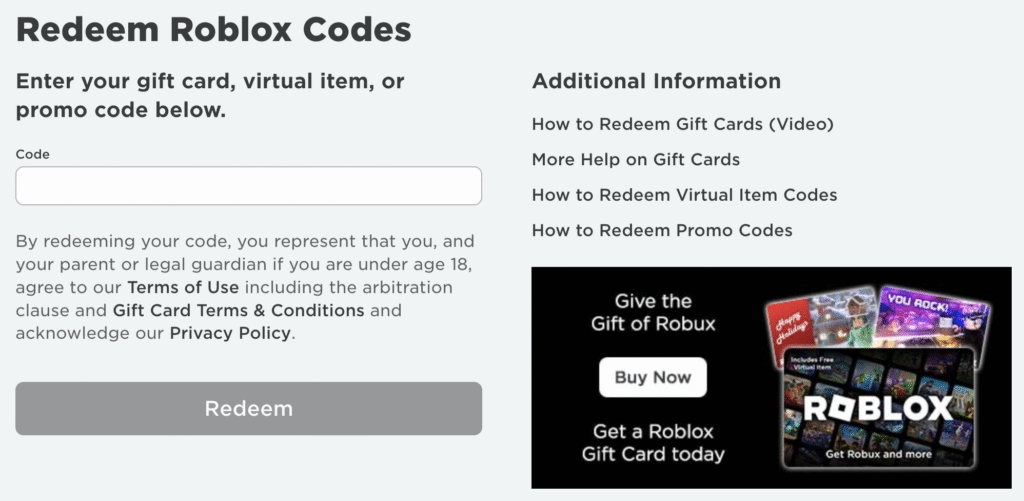
- Log in to the Roblox account you want to redeem the code on.
- Go to the official Roblox code redemption page.
- Enter your code in the box.
- Click on Redeem and receive your free rewards.
How to Redeem Codes Inside Roblox Games
From my experience, Roblox games have their own code redemption system. Although the most common way of redeeming codes inside Roblox games is through either of these:
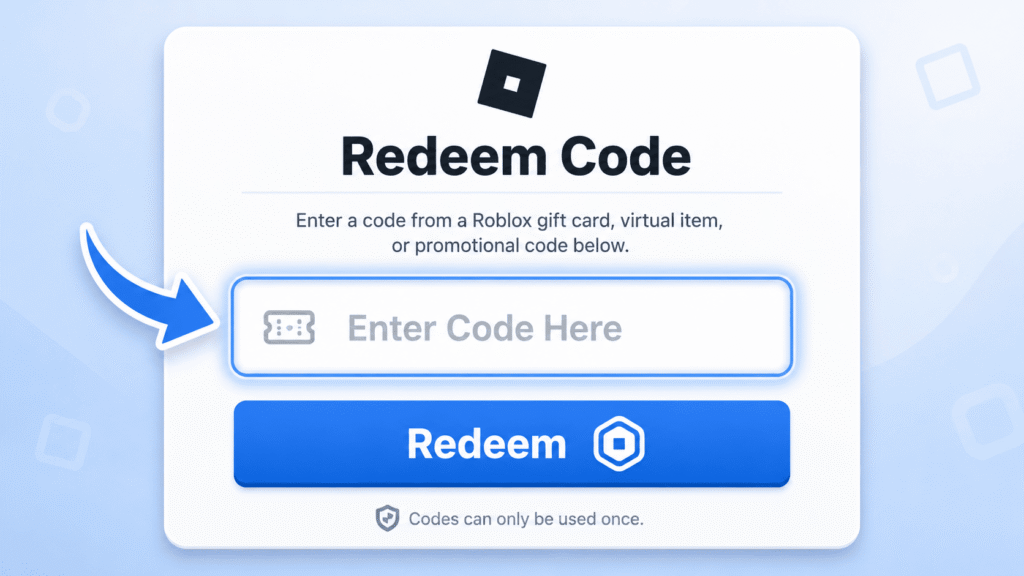
- For in-game codes, open the specific Roblox game.
- Find the Codes, Settings, Shop, Rewards, or X/Twitter button.
- Enter the code exactly as shown.
- Click Redeem, Claim, or Submit.
- Check your in-game rewards.
Never enter your Roblox password on third-party code websites. Real Roblox promo codes or gift card codes should only be redeemed through Roblox’s official website or inside the official game experience.
Avoid websites that promise free Robux through code generators. Instead, check these safe and legit ways to get Robux without risking your account.
Why Your Roblox Code Is Not Working (Fixes)
Whenever you find a code to be invalid, it’s always one of the following common reasons:
- Expired Codes: Most Roblox codes are available for a short time before they expire. Whenever you obtain a code, I recommend using it as soon as possible.
- Spelling Error: When redeeming codes, I suggest checking the spelling, capitalization and any numbers present in the code. You’re more likely to make a spelling error than type in an expired code.
- Already Used: I always recommend keeping track of the codes you’ve redeemed and the ones you haven’t. You can’t use a code that’s already been used.
- Server/Network Issues: Always ensure you’re connected to the internet and the game is running properly without any server errors. If you’re facing network issues, wait for a fix before redeeming a code.
If the code page, rewards menu, or Roblox app isn’t loading properly, first check whether Roblox is down or if the issue is only happening on your device.
Where to Find New Roblox Codes
The best place to find Roblox codes is through the official sources. Here’s where you need to keep your eye for new codes:
- Social Media Platforms: I’d suggest following a game’s official social media accounts on X and Trello for the latest code announcements.
- Discord Server/Roblox Group: The rule of thumb for obtaining new codes is to join the game’s official Discord server or the Roblox Group to stay updated with new events.
- Game Pages: Oftentimes, the game’s official page features active codes waiting to be redeemed. So, keep your eye out.
Since most Roblox codes expire quickly, checking these sources regularly is the easiest way to claim free rewards before they disappear.
Some Roblox experiences also share exclusive rewards through special events or private communities. If you want to play with selected friends or access invite-only sessions, you can also learn how to join private servers in Roblox.
Where do I redeem Roblox codes?
You can redeem Roblox promo codes from the Roblox Redeem page and from the Codes menu for in-game codes.
Are Roblox codes free?
Yes, Roblox codes are generally free. However, promo codes may require a purchase from the Roblox Shop.
Can I use Roblox codes more than once?
No, once a Roblox code has been used, you cannot redeem it again.
Do Roblox codes expire?
Yes, most Roblox codes expire after a short period of time.
How often are Roblox codes released?
When a Roblox game is celebrating a milestone or a new event and update, fresh Roblox codes are released.
In case you missed:
