
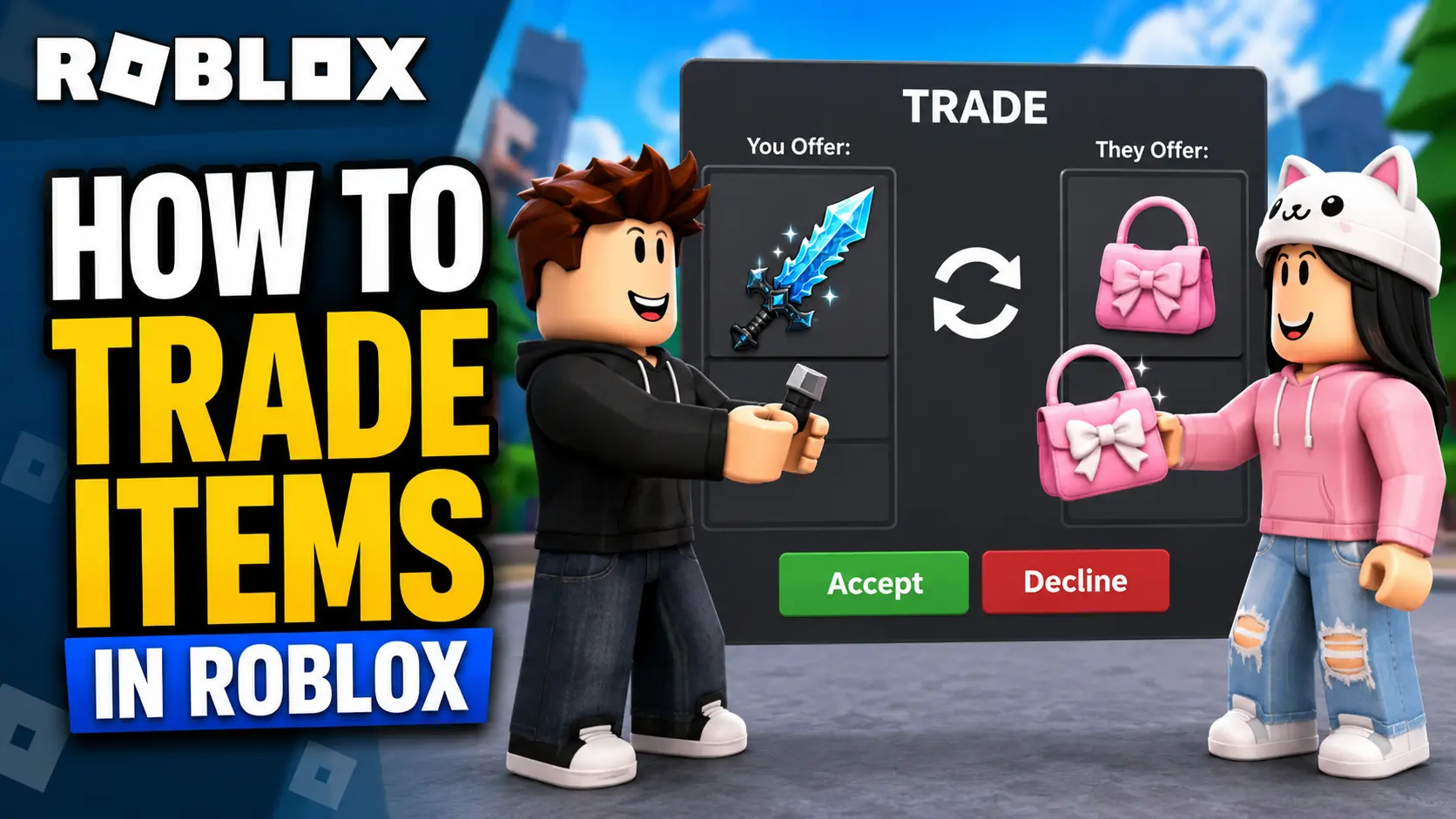
You might have come across players flexing their rare hats, avatars, or accessories worth thousands of Robux, and that’s only a small taste of what Roblox trading is. It is not just about swapping items with other players. For many players, it is about collecting Limiteds, understanding item values, and building a stronger Roblox inventory over time.
Trading always involves risk, and the prices of items are ever-changing. But if you understand how the system works, check item values carefully, and avoid common scams, Roblox trading can be a useful way to get rare items and improve your inventory. So, let me break down how Roblox trading works and how you can begin your journey safely.
What is Roblox Trading?
Trading, but make it Roblox, that’s how I’d describe Roblox Trading. It is a feature that allows eligible players to exchange Limited items, Limited U items, and Robux with other users.
Before I dive deeper into this exchange, let me first explain what Limited and Limited U items are:
- Limited Items: Just like in real life, Limited items are those that were released in limited quantities and were later taken off sale by Roblox or creators. These items can be resold or traded by players, and their prices are usually decided by demand in the Roblox marketplace.
- Limited U Items: Limited Unique items are limited-stock items where each copy has a unique serial number. In many cases, lower serial numbers can be more valuable to collectors.
I assume most of you already know what Robux means, but if you don’t, it is Roblox’s virtual currency, similar to V-Bucks in Fortnite. Robux can also be added to trades, but there are limits and fees, which I’ll explain later.
There are also non-limited items, such as regular avatar accessories, clothing, and cosmetics. These items are usually available at a fixed price and cannot always be traded. Before trading any item, check its item details page and make sure the Tradable option says Yes.
Roblox trading can be helpful if you want to collect rare cosmetics, trade for items you missed, or grow your inventory value over time. However, it is not a guaranteed way to make profit. You need patience, value research, and proper safety checks before accepting or sending any trade.
Requirements to Trade in Roblox
Apart from having a Roblox account, there are a few important requirements you need to meet before you can start trading:
Roblox Premium or Roblox Plus Subscription: Both players involved in the trade must have an active Roblox Premium or Roblox Plus subscription.
- Roblox Premium is no longer available for new purchases,
- But existing Premium users can still keep their membership if they do not cancel it. Roblox Plus is the newer subscription option.
Also, keep in mind that Roblox Plus does not include monthly Robux by default. If you want monthly Robux with Plus, you need to choose a Roblox Plus bundle, such as Plus 500, Plus 1000, or Plus 2000.
- Limited or Limited U Items: To begin a trade, you must have tradable Limited or Limited U items in your inventory. Not every Roblox item can be traded, so always check whether the item has the Tradable: Yes label.
- Trade Settings Enabled: You and the other player must have trading and inventory visibility enabled in Account Settings.
- Region Restrictions: Roblox trading is currently restricted for users based in South Korea, so the feature may not be available for everyone.
If Roblox trading is not working for you, first check whether you have an active Roblox Premium or Roblox Plus subscription, tradable Limited items in your inventory, and trading enabled in your account settings. The feature may also be unavailable if your account has restrictions or if trading is limited in your region.
How to Enable Trading in Roblox
As I mentioned earlier, you need to enable Roblox trading before you can send or receive trade offers.
Here’s how you can do it:
- Log in to your Roblox account.
- Go to your Account Settings.
- Click on Privacy & Content Restrictions.
- Open Trading & Inventory.
- Enable trading and inventory visibility.
Once this is done, other eligible players will be able to send you trade offers, and you can also send trades to them.
How to Trade Items in Roblox
Trading items in Roblox sounds easier than it looks, but with a quick step-by-step guide and a clear understanding of the limitations, you can start trading safely.
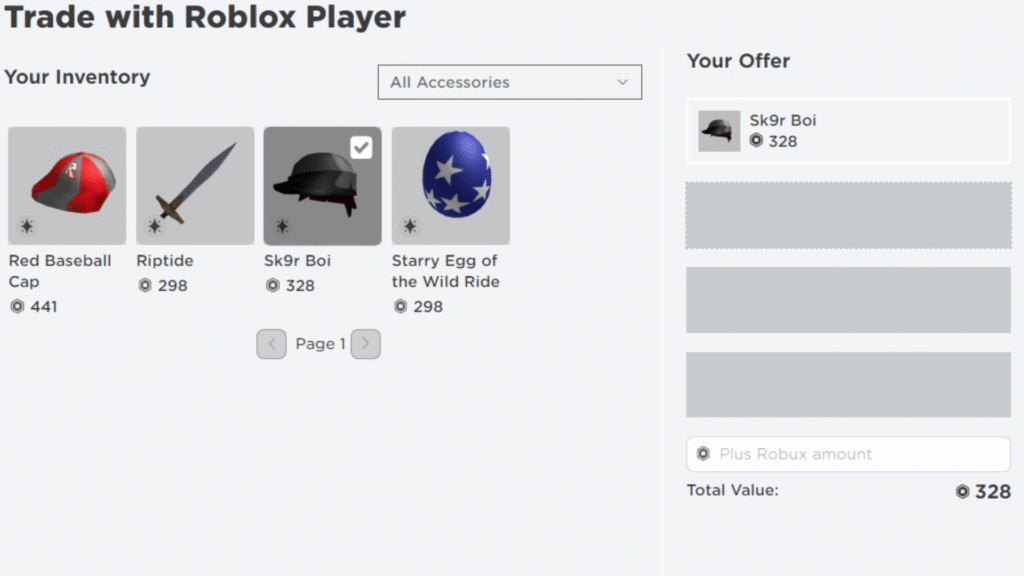
- Go to the profile of the player you want to trade with.
- Click on the three dots located at the upper-right corner of their profile.
- Select Trade Items from the dropdown menu.
- Once the trade window opens, select the items you want to offer.
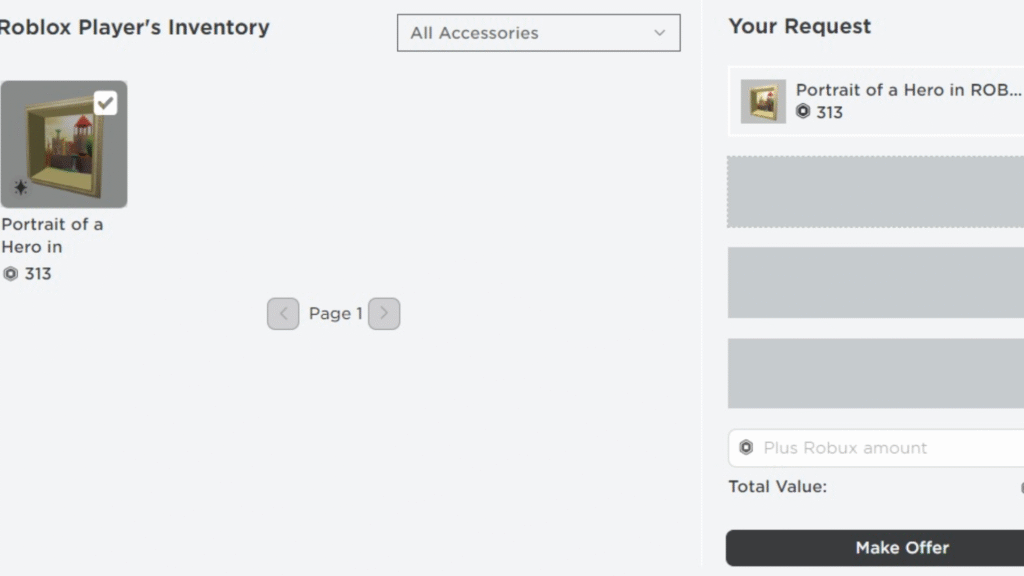
- Select the items you want to receive from the other player.
- If needed, you can add Robux to your trade, but there are some limitations.
- Review the trade carefully.
- Click on Make Offer to submit the trade.
- The other player will receive your trade offer.
- If they accept the trade, both players will receive the selected items.
Before submitting any trade, double-check everything. Roblox cannot undo a completed trade, so only send an offer if you are fully sure about it.
Speaking of Robux limitations, there is a 30% transaction fee removed from any Robux included in a trade once the offer is accepted. The amount of Robux you add also cannot exceed 50% of the current value of the items you are offering, calculated after the transaction fee.
For example, if your item is worth 1,000 Robux, you cannot simply add unlimited Robux to the offer. Roblox limits how much Robux can be added based on the value of the items in the trade.
How to Check Trade Status
Speaking from experience, it is common for trades to stay pending, get declined, or receive a counter-offer from the other player. To check whether your trade has been accepted or is still pending, here’s what you need to do:
- Log in to your Roblox account.
- Click on Trade from the left-hand menu.
- From the Trade Type dropdown menu, choose the type of trade you want to check.
You will see these trade categories:
- Inbound: This shows the offers sent to you by other players.
- Outbound: This shows the offers you sent to other players.
- Completed: This shows the trades that were successfully finished.
- Inactive: This shows the trades that expired, were declined, or are no longer active.
If someone sends you an inbound trade, you can accept it, decline it, or send a counter-offer if you want to adjust the trade.
This section basically shows your entire trade history on Roblox, from the trades that worked out to the ones that were ignored, declined, or expired.
Best Tips for Successful Trading
Executing successful trades in Roblox will take a bit of trial and error. You won’t become a trading expert right away, but with the following tips in mind, you can avoid beginner mistakes.
- Learn Item Values: Learning RAP, or Recent Average Price, is extremely important when trading Limited items. RAP helps you understand the recent selling value of an item. However, do not rely only on RAP. Some item prices can be manipulated, so always compare demand, recent sales, and overall popularity before making a trade.
- Avoid Overpaying: Negotiate carefully with other players and avoid overpaying with your hard-earned Robux or valuable Limiteds. It is fine to start slightly lower than your target offer, but don’t send an extremely bad offer, or the other player may ignore your trade completely.
- Be Patient: If you expect to earn rare Limiteds or Robux immediately, Roblox trading may disappoint you. Be patient, analyze values, wait for the right trade, and avoid rushing into offers that look risky.
- Check the Item Details Page: Before you trade any item, open its item details page and check whether it is tradable. If the item is not marked as tradable, you cannot exchange it through Roblox trading.
- Use Trusted Trading Spaces Carefully: You can join Roblox trading communities or use trading-focused experiences to find other traders. However, never move the trade outside Roblox’s official trading system.
- Review Before Accepting: Always check what you are giving and what you are receiving before clicking accept. Once a trade is completed, Roblox does not usually reverse it.
Common Trading Scams to Avoid
With Roblox trading comes the risk of being scammed, but you can avoid most problems by staying inside Roblox’s official systems and refusing suspicious deals.
- Fake Trade Bots: Roblox has scammers who pretend to be trade bots or automated trading accounts. Avoid players who ask you to use a middleman, another account, or a separate process to complete a trade.
- External Trade Links: One of the most common scams is sending fake Roblox trade links. These links may look real but can lead to account theft. If another player sends you an external link to complete a trade, do not click it.
- Too-Good-To-Be-True Offers: If someone is offering far more than your item is worth, be careful. Scammers often use exciting offers to pressure players into making quick decisions.
- Middleman Deals: Avoid trades where someone says a third person will “hold” your item or Robux. Roblox cannot protect deals made outside the official trade feature.
- Account or Item Borrowing: Never lend your account, Robux, or Limited items to another player. If someone asks to “borrow” your item and return it later, treat it as a scam.
- Off-Platform Deals: Do not trade Roblox items for real money, accounts, gift cards, or promises outside Roblox. These deals are unsafe and can lead to account loss or item loss. ( If your main goal is to earn or buy Robux safely, check our guide on safe ways to get Robux instead of trusting risky trade offers or third-party promises. )
- The safest rule is simple: only trade through Roblox’s official trading system. If a trade feels suspicious, it probably is.
Can You Make a Profit from Trading?
Yes, it is possible to grow your inventory value through Roblox trading, but it is not guaranteed. Beginners should not expect quick profit, because Limited item prices can change quickly, and some items may lose value over time.
The easiest trading concepts to understand are upgrading and downgrading.
- Upgrading is when you trade multiple smaller items for one bigger or more valuable item.
- Downgrading is when you trade one bigger item for multiple smaller items.
Both strategies can work, but only if you understand item values, demand, and RAP. If you overpay too often or accept bad downgrades, you may lose value instead of gaining it.
So, don’t be disappointed if your first few trades are not perfect. The more you trade, research, and learn from the market, the better you’ll become at spotting fair offers and avoiding bad ones.
Do I need Roblox Premium to trade?
Yes, you need either a Roblox Premium or a Roblox Plus subscription to begin trading. Even the lowest tier will work.
What items can be traded in Roblox?
You can trade Limited Items, Limited U (Limited Unique) Items and Robux in Roblox.
How do I know if a trade is fair?
Check the Recent Average Prices for the Limiteds you’re being offered, and if they match, then the trade is reasonable.
Can I cancel a trade in Roblox?
If the trade hasn’t been accepted or finalized, you can either decline an Inbound Trade or cancel an Outbound one.
Are Roblox trades safe?
Yes, but you need to be aware of potential scammers and sharks trying to scam you with suspicious links and too-good-to-be-true offers.
Can beginners start trading in Roblox?
Yes, beginners can start trading in Roblox as soon as they purchase a Roblox Premium or Roblox Plus subscription.
